
The Technology behind Scan to BIM: Hardware and Software Explained
Introduction
Accuracy and efficiency are also necessary in architecture, engineering, and construction. Any new construction or remodeling begins with the establishment of the existing situation. Formerly, this had been done by manual surveys and 2-D drawings, which were useful but restricted and prone to error. The industry is now using a more enhanced approach, Scan-to-BIM (Building Information Modeling).
Scan-to-BIM is not a buzzword; it transforms the real world into accurate computerized models. Fundamentally, it is a combination of software and enormous hardware. Laser scanners form millions of 3-D points of data. Big or inaccessible areas are mapped using drones and photogrammetry equipment. It is hardware that forms the foundation. The raw data is then processed into intelligent BIM models by software such as Autodesk ReCap, Revit, and Navisworks, which allows the team to analyze, coordinate, and share.
This blog reveals the technology of Scan-To-BIM and how hardware and software are integrated to create rich data models. We will check out the strengths of each tool, how they can be integrated into a smooth working process, and what the future of innovations is going to bring to the sphere. In a few minutes, you will understand the meaning of Scan-to-BIM and what technology makes it so.
Scan To BIM
What is Scan to BIM?
Scan to BIM refers to the procedure of scanning down an actual physical condition of the building using 3D scanners and transforming the scan into a Building Information Model (BIM). It connects the digital model of the real world and provides teams with precise, detailed, interactive information. A point cloud is the heart of this working process.
A point cloud is a heavy collection of 3D points that have been collected through laser scanners, drones, or photogrammetry. Every point is a full resolution of the shape of a surface, walls, ceiling, beam, or even fine molding, the raw data that will become a BIM model.
A point cloud is a heavy collection of 3D points that have been collected through laser scanners, drones, or photogrammetry. Every point is a full resolution of the shape of a surface, walls, ceiling, beam, or even fine molding, the raw data that will become a BIM model.
Scan to BIM produces a 3D model full of useful information, unlike the classic surveying that only produces 2D drawings. The model is not merely a visual replica; it contains material types, dimensions, and spatial relationships. That renders it useful to architects, engineers, facility managers, contractors, and all stakeholders during the life of a building.
Applications
Scanning to BIM has been used in applications that include:
- Renovations and retrofits: the correct recording of the existing conditions before design commencement.
- Heritage preservation: the process of capturing all the details of the past structures so that they can be restored.
- Infrastructure works: a mapping of bridges, tunnels, and big sites made an efficient way.
- Facility management: the establishment of a digital twin for long-term maintenance and monitoring.
Hardware Technologies behind Scan to BIM
Terrestrial Laser Scanners (TLS)
Terrestrial Laser Scanners
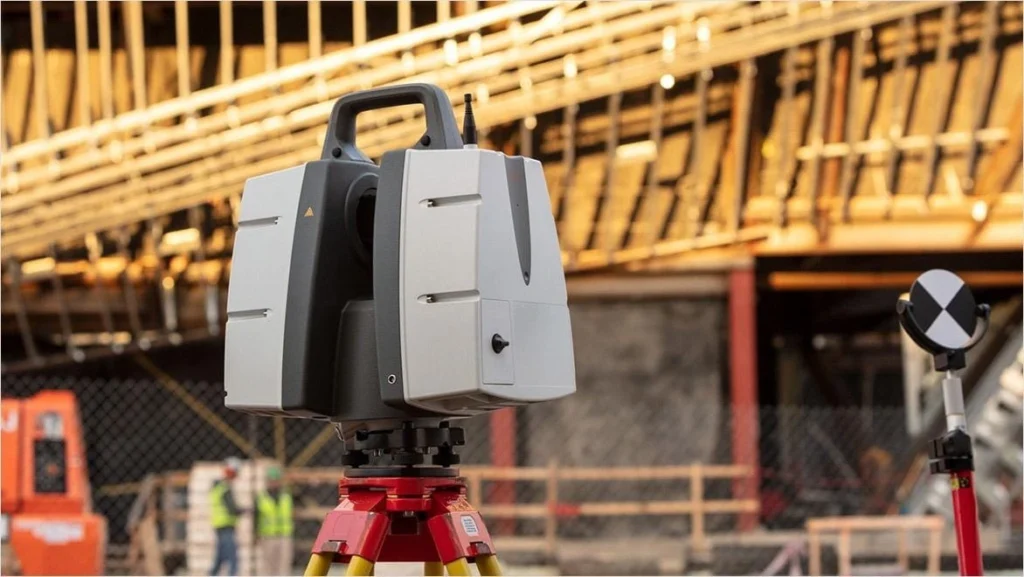
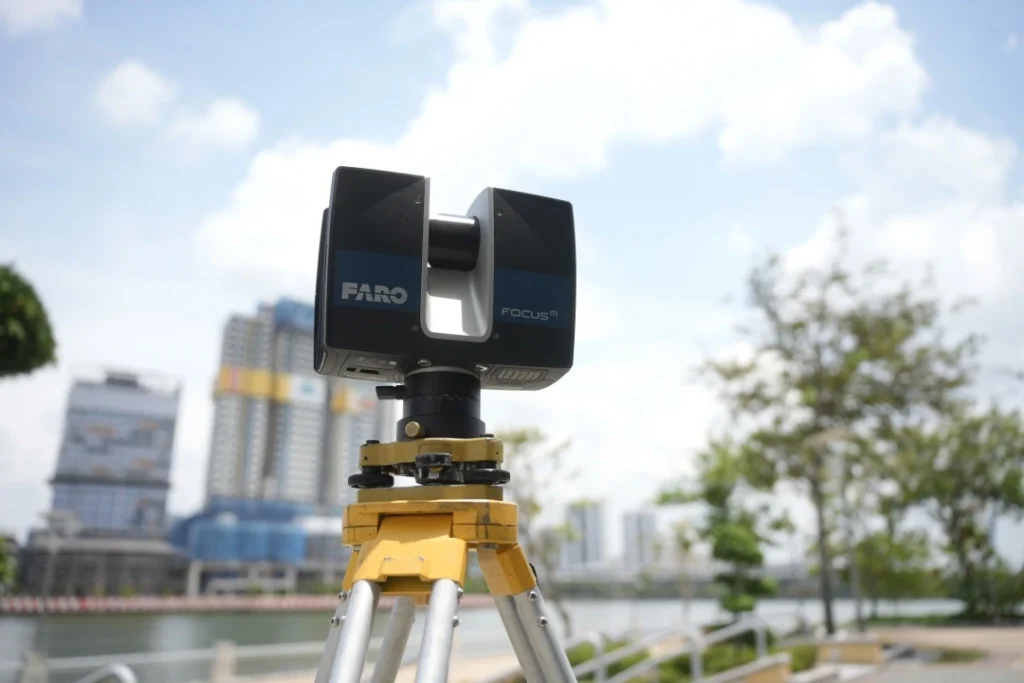
Terrestrial laser scanners (TLS) are some of the most potent Scan to BIM tools and rely on LiDAR (Light Detection and Ranging) technology that helps to create an image of the built environment with unbelievable precision. These scanners capture the data in millions of points and create a three-dimensional point cloud by sending laser beams and the time interval they take to bounce off.
TLS devices are mounted on tripods and placed at various locations around a site to provide complete coverage. Each scan performs part of the scan of the environment, and scans are subsequently spliced (registered) to create a full dataset. These are the two primary techniques, time-of-flight and phase-based scanning, which have millimeter accuracy.
Terrestrial Laser Scanners (TLS) rely on LiDAR (Light Detection and Ranging) technology that helps to create an image of the built environment with unbelievable precision. TLS provides less than centimeter accuracy.
Accuracy and Applications
TLS provides less than centimeter accuracy and so can be used when required to:
- Complex interior and irregular shapes.
- Heritage works, in which all curves and details need to be saved.
- Retrofits and structural analysis, which involve precise measurement.
Benefits
Excellent accuracy, larger detail, and the capturing of millions of points within a few minutes.
Limitations
The cost of the equipment is high, it has a line-of-sight limitation, and its file sizes are enormous and thus need powerful processing power.
Drones (UAVs)
Drones (UAVs)
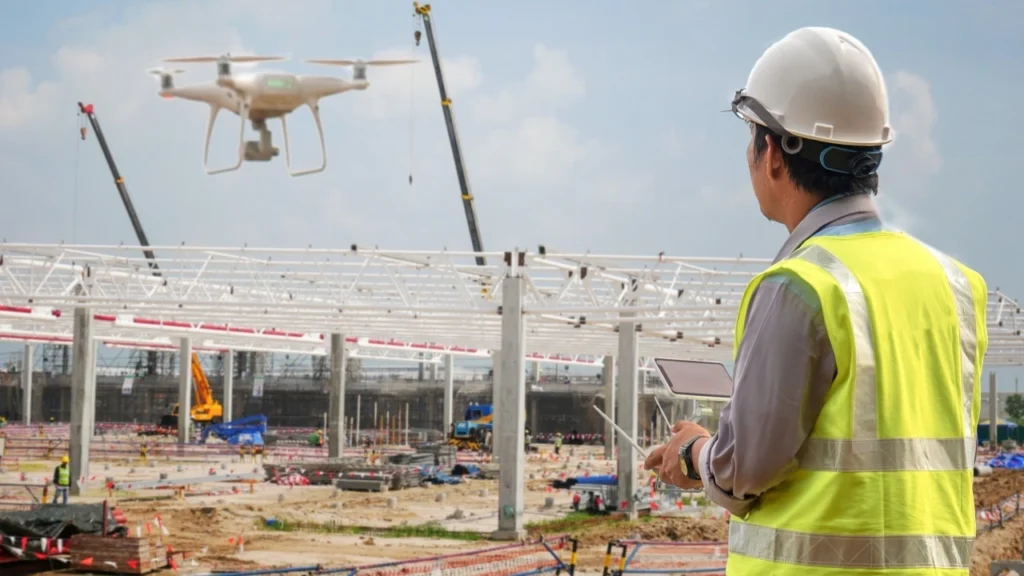
Whereas TLS is effective inside or on the ground, drones (unmanned aerial vehicles) implement Scan to BIM in large and inaccessible locations. Drones have LiDAR sensors or high-resolution cameras that allow them to record aerial shots and site information within a short period of time and safely.
Drone-Based LiDAR: It is used when a topographical survey, the site size, and the nature of the infrastructure are large and require high precision of its point clouds.
Drone Photogrammetry: Overlapping images are used to generate 3D models in software by stitching- cheap, but not as accurate as LiDAR.
Applications
- Infrastructure mapping and big construction projects.
- Unsafe or inaccessible zones of ground crews.
- Observing the progress made in large locations.
Benefits
This has the advantage of covering large areas rapidly, low labor, and safe access to hazardous conditions.
Limitations
It is weather sensitive, has regulations on flight, poor battery life, and poor accuracy compared to stationary TLS at fine details.
Photogrammetry Tools
Photogrammetry
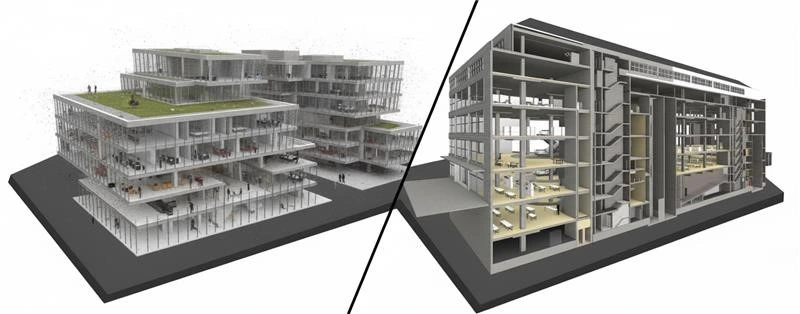
Photogrammetry is another method applied in Scan to BIM, where overlapping pictures are transformed into 3D representations. In comparison to LiDAR, which involves the application of laser beams to gauge distances, photogrammetry is based on algorithms that put images together and harvest depth information.
Several high-resolution images are captured in different angles using handheld cameras, drones, or special rigs. Specialized software is then used to assemble these photos into a 3D mesh or point cloud, which represents the site.
Applications
- Smaller projects where the millimeter accuracy is not important.
- Recording the exterior of a building, landscape, or exterior.
- Surveys are done quickly in locations where laser scanning equipment cannot be used.
Benefits
- Cheaper than LiDAR scanners.
- Flexible and may be equipped with conventional cameras or drone-mounted systems.
- Generates 3D graphics with textures.
Limitations
- Reduced accuracy to TLS or drone-based LiDAR.
- Highly reliant on lighting, weather, and quality of photography.
- The time to process large sets of images is potentially long.
Software Technologies behind Scan to BIM
The raw data is captured by hardware; however, the software is the one that converts the raw data into something useful. Unless processed and modeled with appropriate tools, unstructured and overwhelming point clouds from scanners, drones, or photogrammetry are unprocessed.
Autodesk ReCap
ReCap Scan to BIM Workflow
https://help.autodesk.com/view/RECAP/ENU/?guid=WN_Mesh_in_Revit
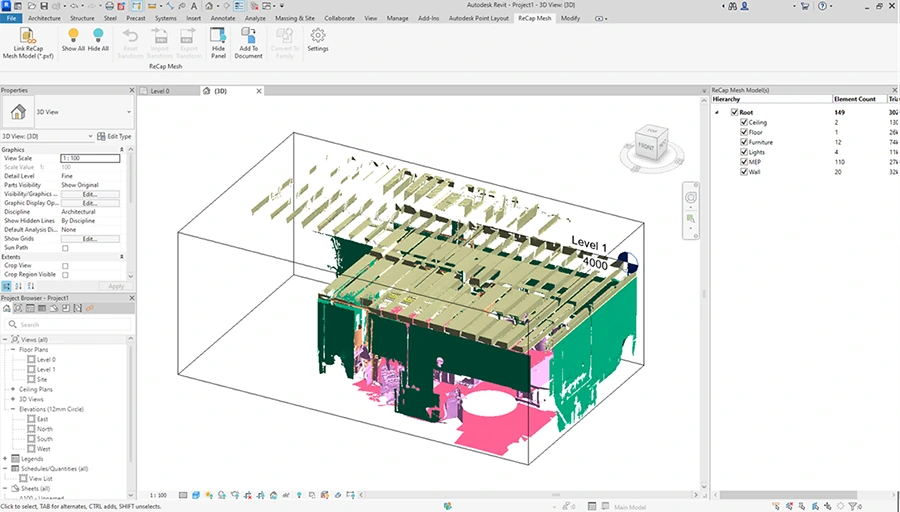
Raw scan data will be frequently processed at Autodesk ReCap. It is used to process and organize point clouds before their introduction into a BIM environment. ReCap serves as the interface between the scanning hardware and the BIM modeling software that takes into consideration that accuracy is maintained whilst making the data useful.
Functions
- Registration: Speaks multiple scans into one point cloud.
- Noise Filtering: Deletes redundant or inaccurate values of data towards cleaner models.
- Measurement & Annotation: Gives teams the ability to extract dimensions from point clouds.
- Export Options: Exports datasets to be used in Revit, Navisworks, or other BIM systems.
Benefits
- Converts huge data sets into small files.
- Has dashboards that allow fast visualization for the stakeholders.
- Saves time by loading data to facilitate BIM integration.
Autodesk Revit
Point Cloud to Revit
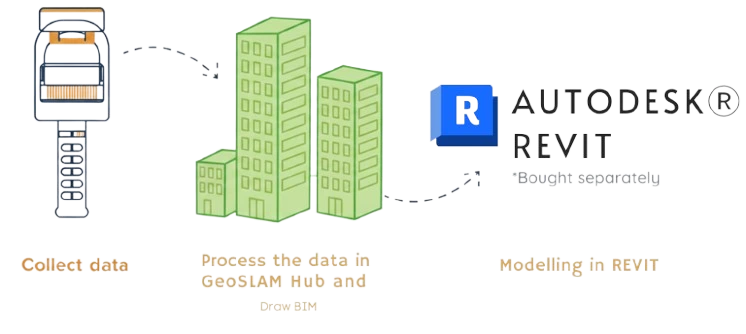
After processing the point clouds, they are then imported into Autodesk Revit, which forms the base of most BIM processes. Revit enables the teams to transform raw scan data into smart 3D models, which will have not only geometry but also metadata. Revit converts uncoded point clouds into determinable computer-aided models and hence is the hub of Scan to BIM.
Functions
- Point Cloud Overlay: Point clouds may be added as a reference in case of modeling in Revit.
- Model Creation: The architects, engineers, and MEP professionals can re-create the walls, floors, ducts, and other components of the building.
- Clash detection Prep: Revit-developed models could be analyzed later in coordination software such as Navisworks.
Benefits
- Generates an actual model – not a copy, but one that has been enhanced with information on dimensions, materials, and systems.
- It promotes teamwork between various fields as different disciplines can work on the same model.
- Facilitates renovations, retrofit, and facility management with as-built conditions that are very precise.
Navisworks
Clash Detection in Navisworks
https://www.autodesk.com/autodesk-university/es/class/Navisworks-Clash-Detection-Saving-Time-and-Money-Setting-Clash-Templates-2019
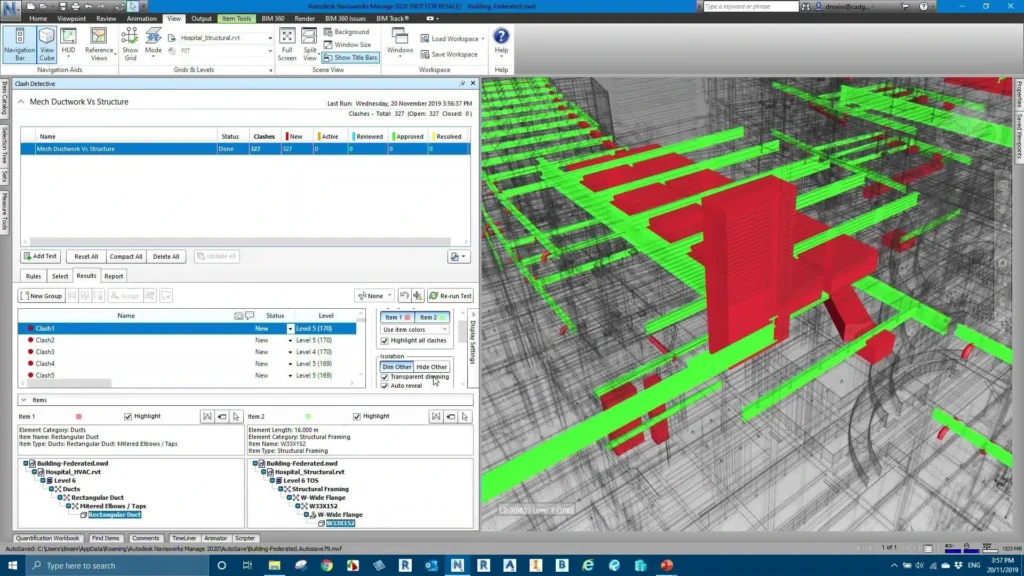
Revit is very effective in building models, but Autodesk Navisworks goes to an extra level as far as collaboration and coordination are concerned. It serves as a center where the models of various fields, such as architecture, structure, and MEP, may be gathered and examined. Navisworks is not the process of building the model but rather the process of analyzing, coordinating, and validating the model, an indispensable step towards achieving the full benefits of Scan to BIM.
Functions
- Clash Detection: Conflicts within systems (e.g., ductwork in collision with a beam).
- 4D Simulation: This is associated with models related to construction schedules to visualize the timelines.
- 5D Simulation: Incorporates cost data, which can assist the project teams in evaluating both budgets and schedules.
- Review and Collaboration: It offers a platform to the stakeholders to test the model without having to use the entire design software.
Benefits
- Improves project coordination, which helps to avoid expensive errors on site.
- Helps the contractors and clients to see the progress and foresee difficulties.
- Works well with Revit and ReCap, establishing a linked experience.
Other Software’s
Other tools enhance the Scan to BIM process. Each has specific functions to supplement the workflow:
- Leica Cyclone: It is characterized by high-power point cloud processing and accurate registration.
- Trimble Real Works: It is the provider of survey and data management modeling tools that are automated.
- Bentley Pointools: Allows sophisticated support of big point clouds in the form of two- and three-dimensional visualization.
- Cloud-Based Tools: Cloud storage solutions, tools such as Matterport, Cintoo, and similar, allow collaboration remotely, exchange information, and real-time updates of the model.
Hardware + Software Integration: The Workflow
This is the true strength of Scan to BIM: the hardware and software work together perfectly well. The raw data is collected using scanners, drones, and cameras. This data is converted into useful forms of digital data using processing and modeling tools. The combination of these makes them form a closed-loop workflow, which links the physical location to a virtual model.
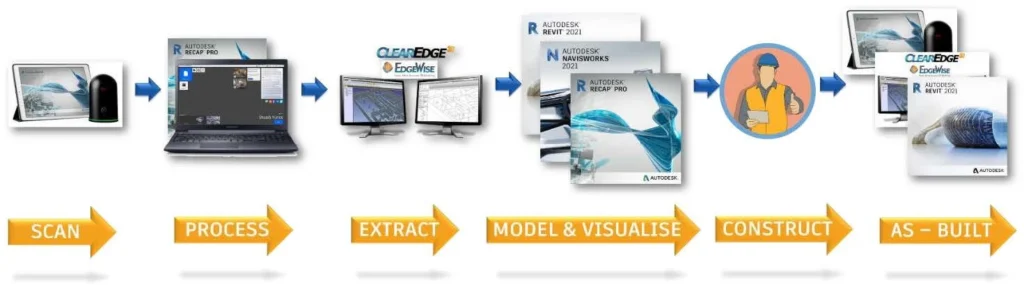
Scan to BIM workflow
https://www.autodesk.com/autodesk-university/article/Refining-Scan-BIM-Workflow-Further-Automation-and-Visualization-2021
Step 1: Data Capture
It starts with hardware, such as either terrestrial laser scanners, drones, or photogrammetry cameras. Millions of measurements are in minutes using these tools. They produce minute point clouds or image collections. The equipment to support it, such as GPS, targets, and tripods, is used to maintain the accuracy and alignment between scans.
Step 2: Data Processing
Raw data is usually too dense to be used directly. Applications such as Autodesk ReCap handle the scans. It coordinates several datasets into the same point cloud. Noise is filtered out. The modeling is based on the clean dataset.
Step 3: Model Creation
The point cloud is processed and the point cloud is then imported into Autodesk Revit. It can be used as a source for the construction of a BIM model. Architects, structural engineers, and MEP specialists make models of walls, floors, columns, ductwork, and so forth. The model can be assured to be equal to the real-life conditions.
Step 4: Analysis and Co-ordination
After the BIM model is complete, it is loaded into Navisworks or other such systems. These are used to do clash, schedule simulation, and cost estimates. This measure will make sure that designs are precise and workable, lessening on-site confrontations.
Step 5: Co-operation and Implementation
The last BIM model is exchanged with project stakeholders using cloud platforms. It is utilised by the contractors in planning. It is used to visualize for its clients. It is used by facility managers when doing long-term maintenance. This workflow will guarantee that the data captured at the beginning of the process is used to add value during the life of the building.
Advantages and Limitations of Scan to BIM
Scan-to-BIM is expensive and is technically challenging, but the accuracy, speed, and lifecycle advantages are unparalleled, which is why Scan-to-BIM is becoming more important to contemporary projects.
Advantages
- Represents the real-world situation at millimeter accuracy.
- Processes millions of points per minute and has a significant reduction in survey time.
- Generates 3D BIM files that contain metadata that enhances planning.
- Clash detection and Cross-disciplinary coordination can be easily achieved with the aid of platforms like Navisworks.
- The models are applicable in the post-construction stage, which supports maintenance and management of facilities.
Limitations
- Drone software, equipment, and drones are costly.
- Technicians who are experts are required to use the devices and software.
- Point clouds need very fast computers and storage.
- Drones cannot work during bad weather or when regulations are in place; TLS has to be within a clear line of sight.
Future of Scan to BIM Technology
Scan to BIM is moving to high levels of automation, system integration, and AI-intelligence. The conversion of point clouds to BIM models nowadays is automated by AI, which is significantly faster than manual modeling, which requires time. Cloud environments will increase teamwork by providing real-time information to teams across the globe. AR, VR, and digital twins are being developed and will be used to visualize, test, and maintain buildings in the future, whereas, with the integration of IoT, we will be able to constantly monitor and update the BIM model, keeping it up to date during the entire life of the building.
The conversion of point clouds to BIM models, in some special cases, is automated by AI, which is significantly faster than manual modeling, which requires time.
Conclusion
Scan to BIM is not merely a scanning process; it is a technology-based ecosystem that combines the accuracy of hardware with the smarts of software. They are not useless, as the traditional methods have their advantages, but Scan to BIM has the obvious advantages in accuracy, efficiency, and data richness. Despite initial financial outlay and technological complexity, the technology is fast becoming the standard construction and facility management technology of the 21st century and is training the professionals of an era where digital workflows and smart models are the primary components of any project.
Frequently Asked Questions (FAQ’s)
What is the most appropriate software to use to process Scan to BIM data?
The Autodesk software is also extensive, including ReCap to process point clouds, Revit to BIM model, and Navisworks to coordinate and detect clashes. There are also other tools, such as Leica Cyclone, Trimble RealWorks, and Bentley Pointools, which are instrumental when it comes to the project requirements.
What is the accuracy of Scan to BIM in relation to traditional methods?
Scan to BIM has the capability of reaching an accuracy of millimeters, which is far more than manual surveys. This allows it to be especially useful in complex renovations and heritage projects as well as infrastructure mapping.
What are the major limitations of the Scan to BIM technology?
The most challenging ones are the high initial costs, operators’ learning curve, and large data volumes that need powerful systems, and technical limitations such as drone regulations or line-of-sight problems with scanners.
The Future of Scan to BIM?
Automation and integration the future is moving in the direction of automation and integration – AI-driven point cloud modeling, cloud-based collaboration and immersive technologies, such as AR/VR and digital twins. Scan to BIM will be quicker, smarter and more ubiquitous as the years go on.
Ready to leverage millimeter-accurate data for your next project? Contact us to discuss implementing a professional Scan to BIM workflow!
Scan to BIM Page